Quickstart
Build the example L-bracket in a running Fusion, read it back as numbers, change one parameter and export it. Every output on this page is a real transcript.
This walkthrough builds examples/bracket.py, an L-bracket for FDM printing driven by seven user parameters. Every block of output below was copied from a terminal on Fusion 2705.1.30 (macOS, October 2026); only the colours were removed.
Get the script from the repository:
curl -O https://raw.githubusercontent.com/pieralukasz/fusionctl/main/examples/bracket.pyCheck the session
fusion       2705.1.30
document     Untitled
design       parametric
units        mm
orientation  Z-up
bridge       0.1.0
Read orientation first. The bracket script assumes a Z-up document: the base lies on the XY plane and the wall rises along +Z. On a Y-up install the floor is XZ, and the script would build the part lying on its side.
Build the bracket
fusionctl new
fusionctl run bracket.py --atomic
new opens a parametric design in millimetres. run sends the file to Fusion and prints what the script printed, then the result variable as JSON. The script ends with result = {"bend_edges": bend.count, "bed_edges": bed.count}:
{
  "bend_edges": 1,
  "bed_edges": 4
}
One edge got the bend fillet and four edges on the bed got the chamfer, which is what the script intended. --atomic would have deleted the timeline items the script added if it had failed; see Verifying a part.
Read it back
The timeline: seven features, all ok.
#  feature       type            health       message
0  L profile     Sketch          ok
1  Bracket body  ExtrudeFeature  ok
2  Hole points   Sketch          ok
3  Base holes    HoleFeature     ok
4  Wall hole     HoleFeature     ok
5  Bend fillet   FilletFeature   ok
6  Bed chamfer   ChamferFeature  ok
The body, in world coordinates and millimetres:
body     where  solid  volume mm³  size mm       min mm       faces
Bracket  root   yes    6168.75     40 x 24 x 30  0 x -12 x 0     16
40 mm long, 24 mm wide, 30 mm tall, centred on Y, sitting on the bed at z = 0. The parameters that drive it (recorded with 0.1.0; from 0.2.0 the table shows a formatted value column, e.g. 40.00 mm, instead of unit):
name         expression  unit  kind
length       40 mm       mm    user
height       30 mm       mm    user
width        24 mm       mm    user
thick        4 mm        mm    user
hole_d       4.5 mm      mm    user
bend_r       3 mm        mm    user
bed_chamfer  0.6 mm      mm    user
Look at it
fusionctl screenshot bracket-iso.png --view iso --size 1600x1200
fusionctl screenshot bracket-front.png --view front --size 1600x1200
fusionctl screenshot bracket-top.png --view top --size 1600x1200
fusionctl screenshot bracket-iso-bottom.png --view iso-bottom --size 1600x1200
Each named view fits the model before saving.
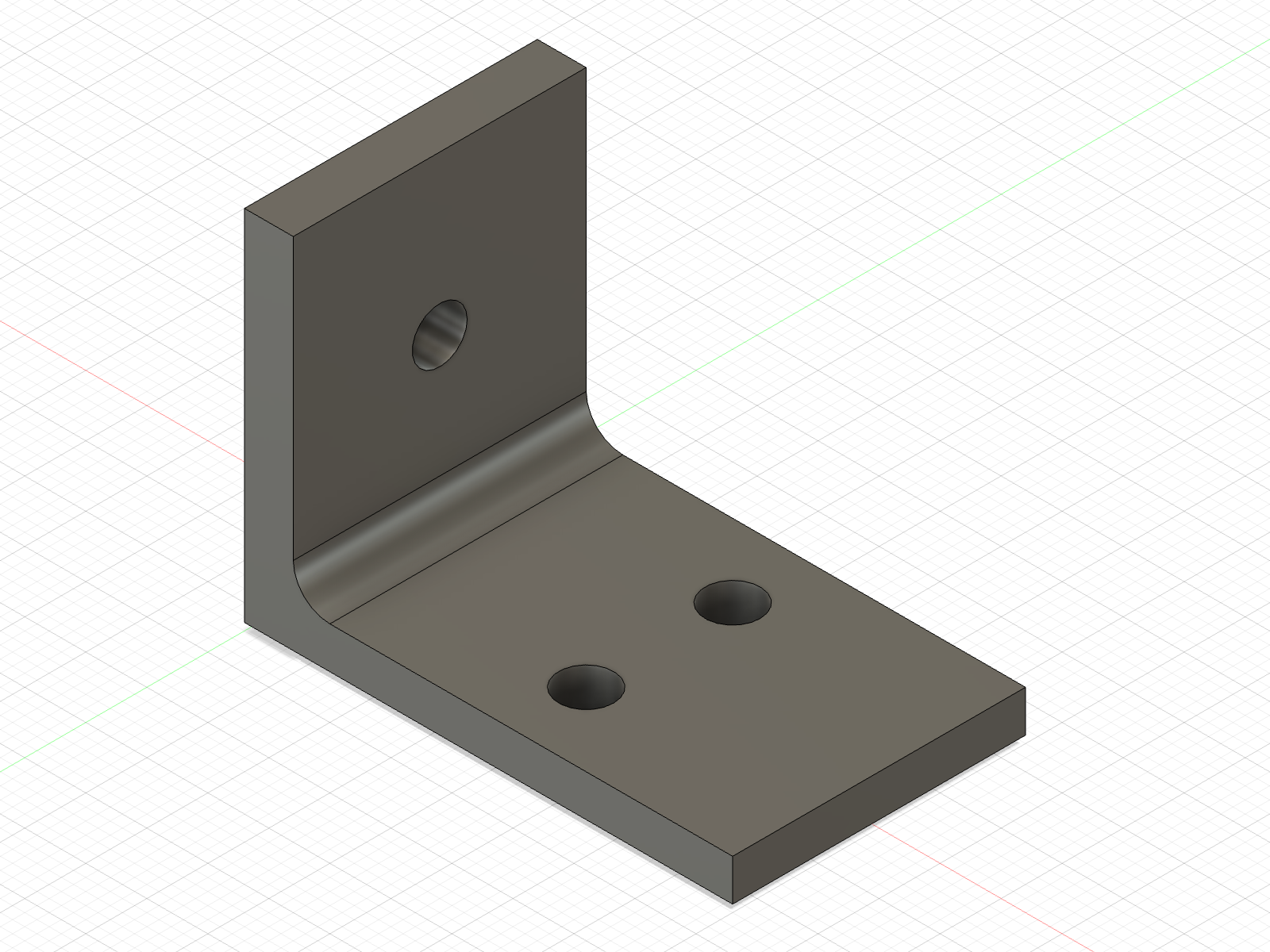
--view iso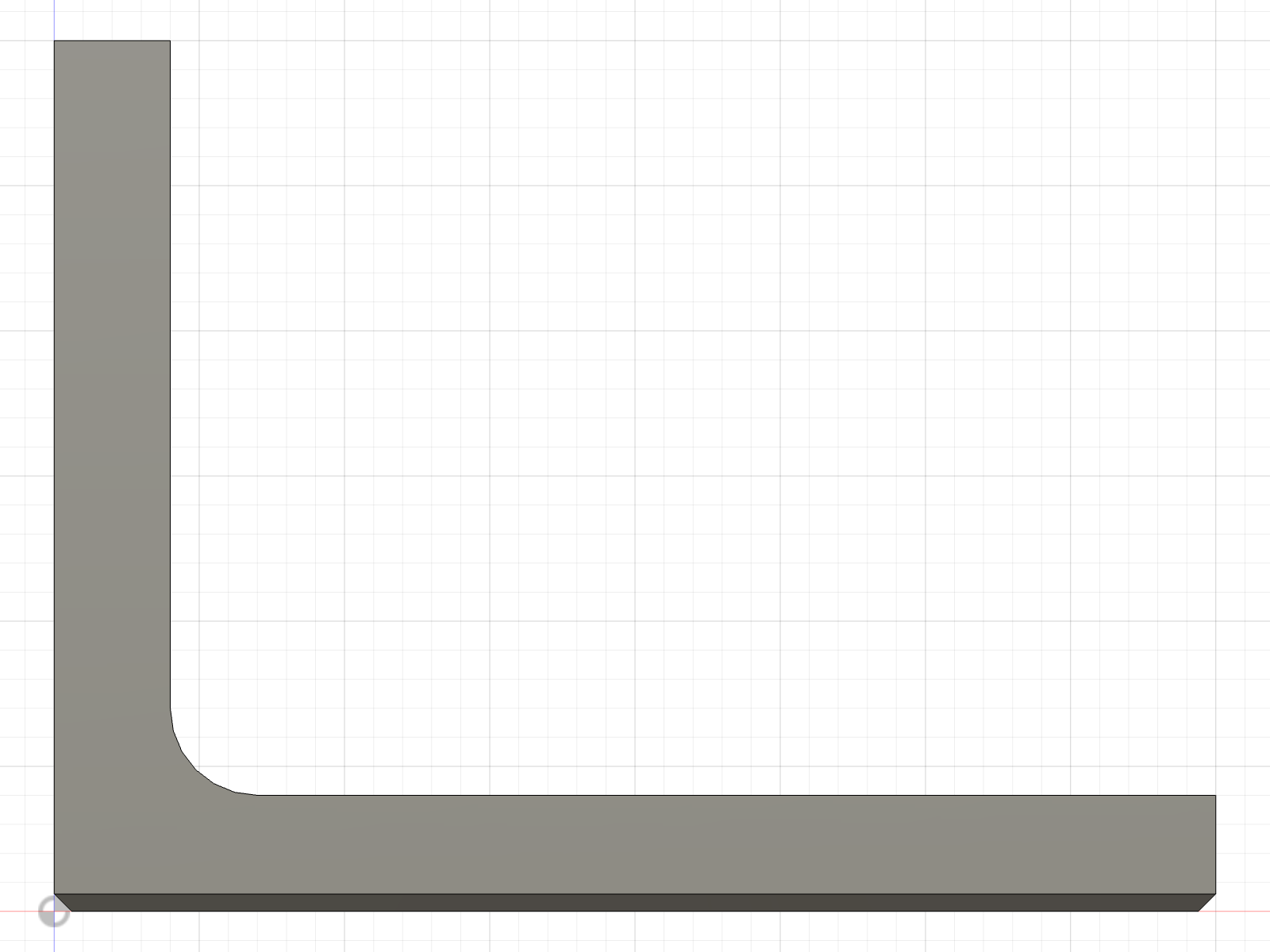
--view front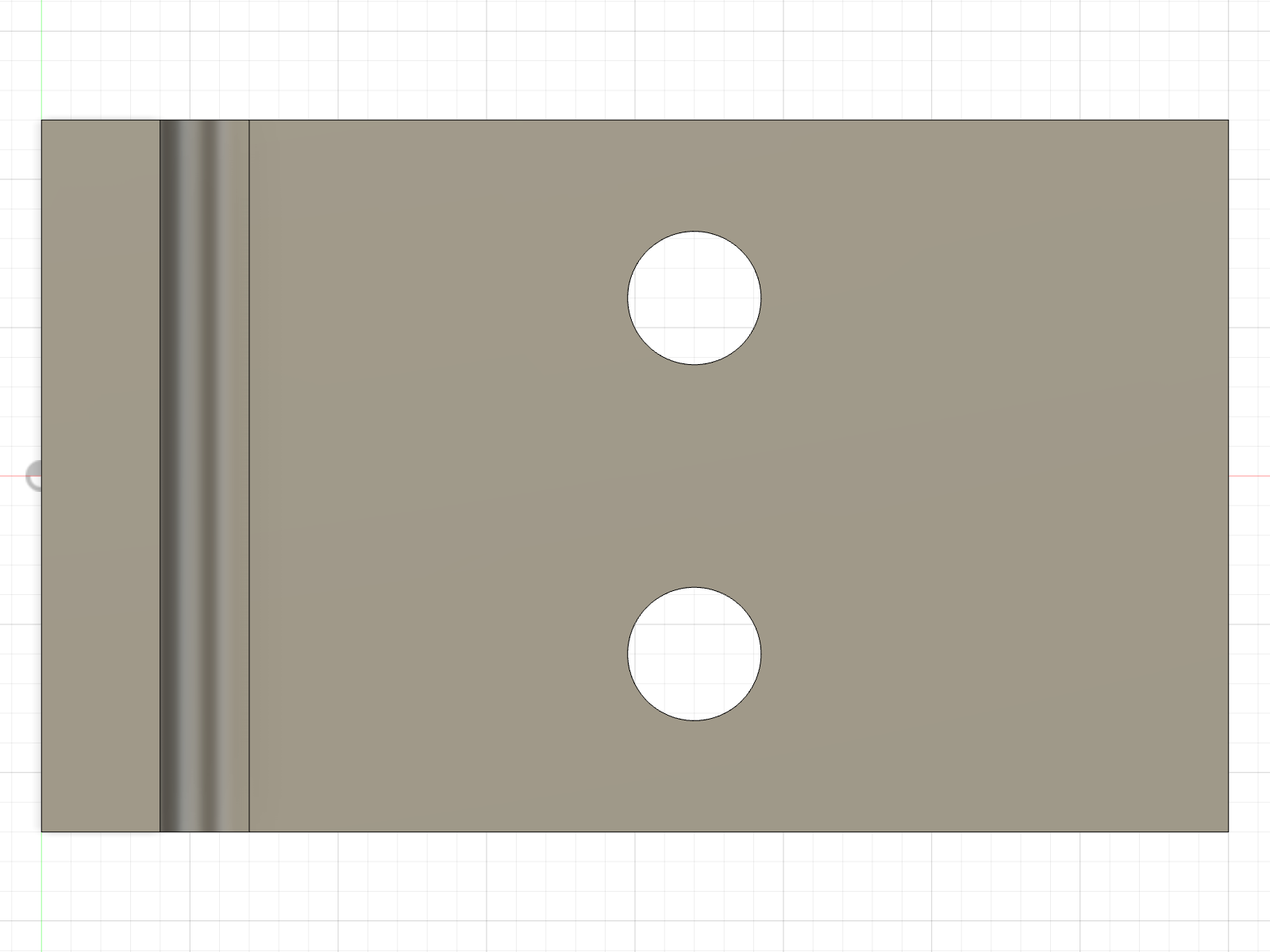
--view top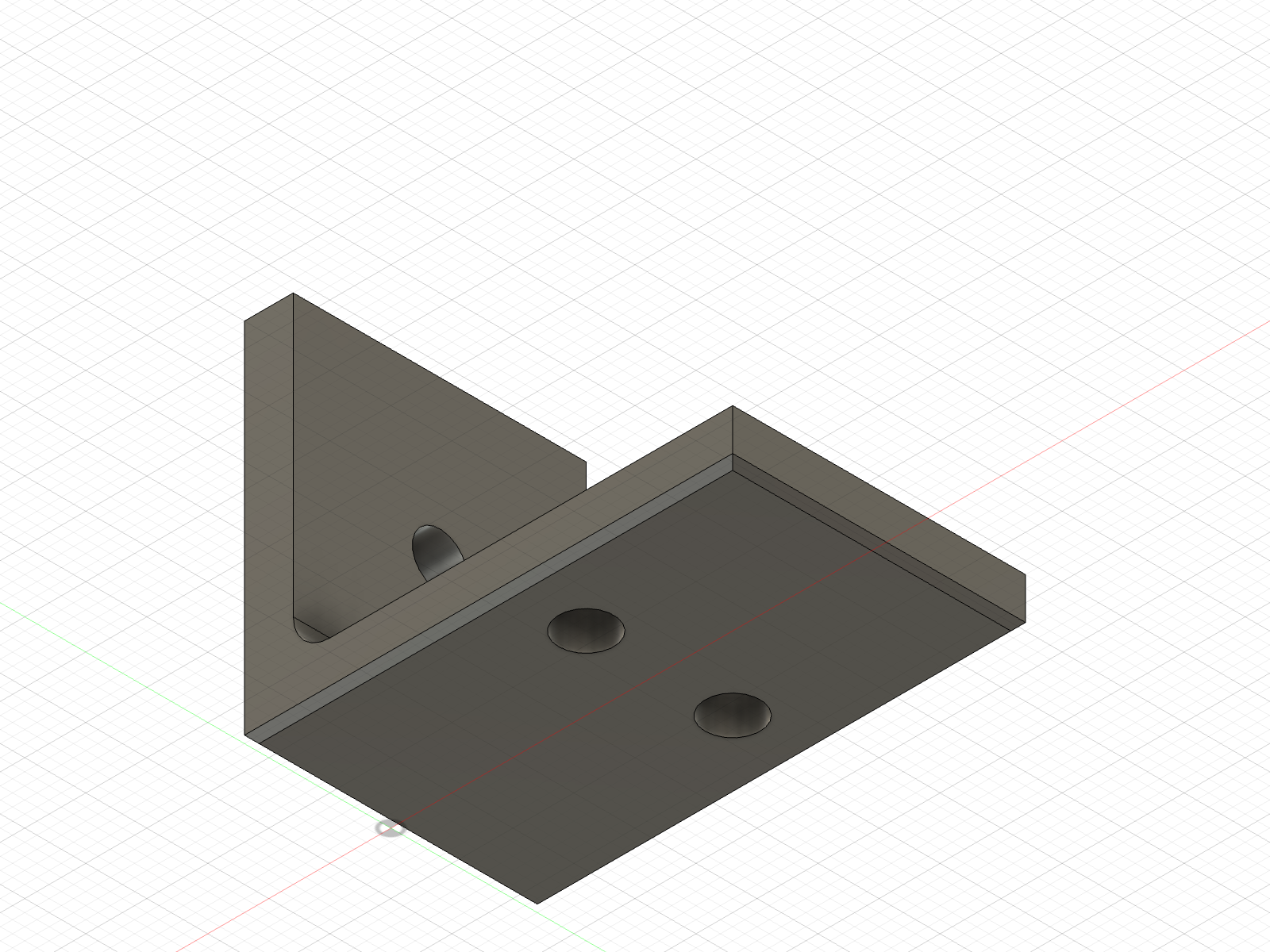
--view iso-bottomThe front view shows the L profile with the 3 mm bend fillet; the top view shows the two base holes at the same X, a quarter of the width either side of the centre line.
Change a parameter
fusionctl params --set length=55mm hole_d=5.5mmThe timeline regenerates. The base holes are dimensioned with the expression thick + (length - thick) / 2, so they move with the length, from x = 22 mm to x = 29.5 mm. All three holes grow from M4 to M5 clearance.
body     where  solid  volume mm³  size mm       min mm       faces
Bracket  root   yes    7509.1      55 x 24 x 30  0 x -12 x 0     16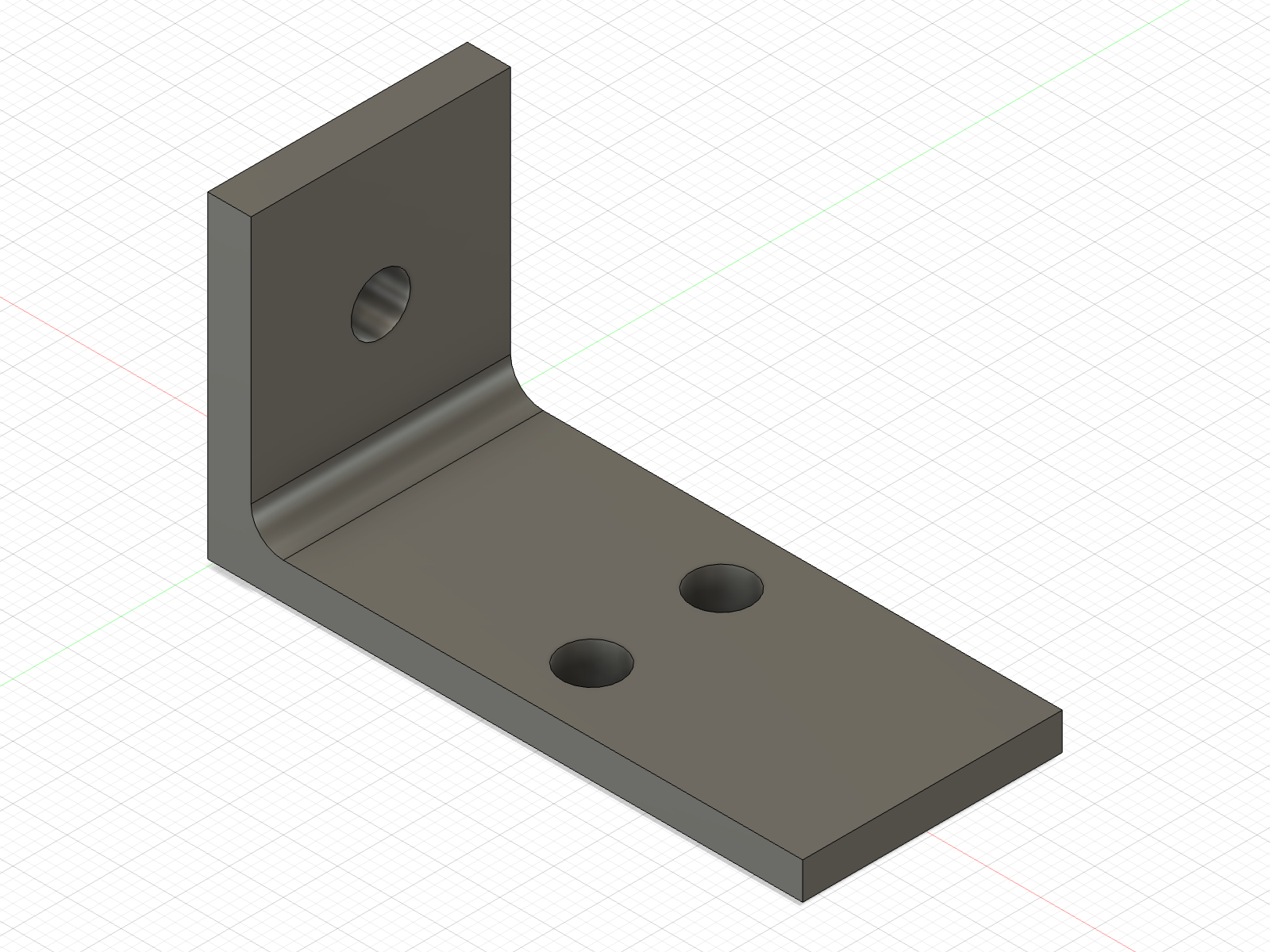
params --set length=55mm hole_d=5.5mm, --view iso.Same face count, longer bounding box, larger volume: the change did what it should and nothing else.
Check and export
No interference between 1 solid body.With a single body there is nothing to collide; the command earns its keep on assemblies.
fusionctl export bracket.step   # the source of truth
fusionctl export bracket.3mf    # for the slicer
The format follows the extension: .step (or .stp), .stl, .3mf or .f3d. The files exported from this session, at the 40 mm length, are here: bracket.step and bracket.3mf.
Next
- Scripting in Fusion explains the globals, the units and the sketch-plane axes the script relies on.
- Verifying a part turns the checks above into a routine.
Made by Lucas Piera. MIT licence. fusionctl is not affiliated with or endorsed by Autodesk; Autodesk and Fusion are trademarks of Autodesk, Inc.