Introduction
fusionctl drives a running Autodesk Fusion session from the terminal, for people who prefer a shell and for coding agents that need to check their own geometry.
fusionctl is a command-line tool written in TypeScript for Bun. It talks to a small add-in, FusionBridge, that runs inside Fusion and listens on 127.0.0.1:18765. With it you can:
- run Python scripts in the open design (
exec,run), with--atomicto remove what a failing script added; - read the model back as numbers: the timeline with each feature's health, the bodies with volume and bounding box in millimetres, the parameters;
- change parameters and let the model regenerate (
params --set); - save viewport screenshots from named views, check interference, and export STEP, STL, 3MF or F3D.
Output is a table on a terminal and JSON when piped or with --json, so the same commands work for a person and for a coding agent (Claude Code, Codex, OpenCode).
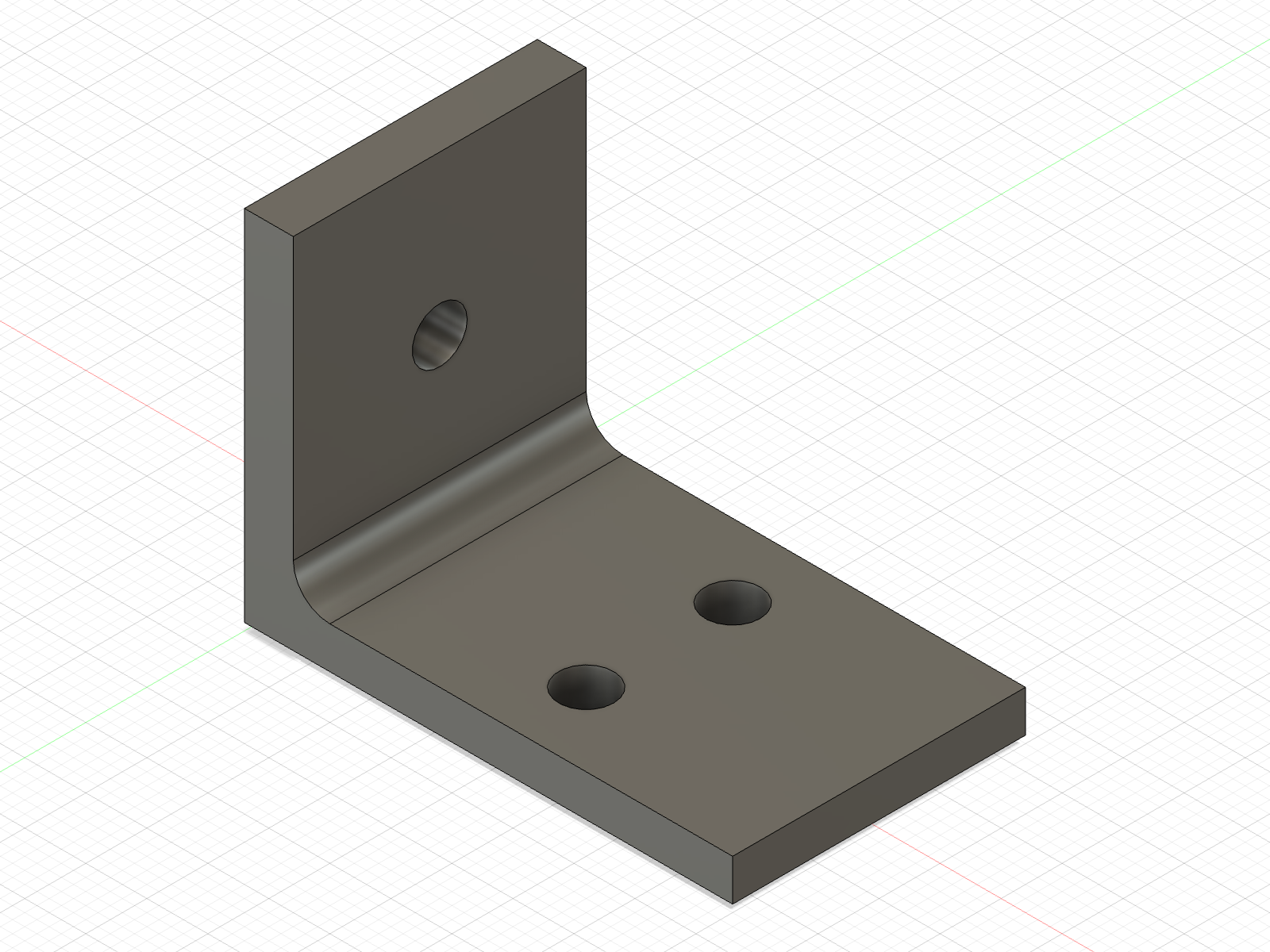
examples/bracket.py, saved by fusionctl screenshot --view iso.Why a CLI
Fusion's Python API only exists inside the Fusion process. Scripts usually run from the Scripts and Add-Ins dialog, and their results are something you look at. fusionctl keeps Fusion open as the modelling kernel and moves everything else to the shell: scripts are files you edit and rerun, and every check prints numbers you can compare against a spec.
That matters most for coding agents. An agent that writes a modelling script cannot see the viewport, so a script that ran without an exception is all it knows. With fusionctl it can run timeline, bodies and interference, and look at screenshot output, before it says the part is done.
What you need
- Autodesk Fusion, running and signed in. The free personal-use licence works: the API and add-ins are included.
- Bun 1.2 or later.
- macOS. Everything on this site was checked on Fusion 2705.1.30 on macOS in October 2026. The add-in path for Windows is in the code but has not been tested.
Where to go next
- Installation: three commands and a restart.
- Quickstart: build the example bracket, read it back, change a parameter.
- Commands: every command with its usage line.
- Assemblies and joints: components, rigid and revolute joints, and the wristwatch an agent built.
- For agents: the rules file and the plain-text versions of these docs.
fusionctl is MIT-licensed and made by Lucas Piera. It is not affiliated with or endorsed by Autodesk. Autodesk and Fusion are trademarks of Autodesk, Inc.
Made by Lucas Piera. MIT licence. fusionctl is not affiliated with or endorsed by Autodesk; Autodesk and Fusion are trademarks of Autodesk, Inc.